
Create your own AI character
Start from a portrait you like. CraveMe turns it into a new face and a character that is yours.
 Replace
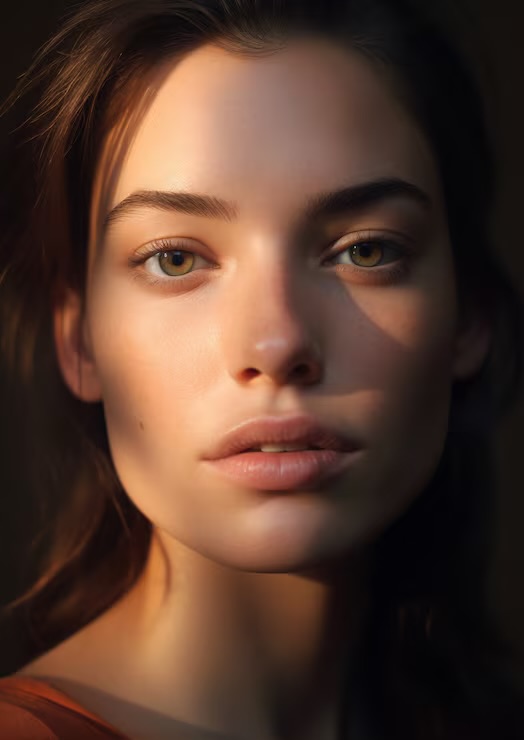
CraveMe lets you create your own AI character inside Telegram. You upload a portrait as inspiration, CraveMe generates a new, original face from it, and you choose realistic or anime style, a gender, a name and a personality. That same face then appears in every image your character sends.
Think of it as a short brief
Creation is two screens. The first is about how she looks; the second is about who she is. Nothing needs to be perfect on the first pass, because a saved character can be edited later, so treat the form as a quick brief and refine it as you get to know her.
The fields below go in the order the mini app asks for them, with what each one is really deciding.
The fields, one by one
| Field | What it decides | A tip |
|---|---|---|
| Inspiration portrait | The direction her new face takes | Pick a sharp, bright shot of one face, nothing covering it |
| Style | Realistic photo look or anime drawing | Decide this first; it changes how the portrait is generated |
| Gender | Woman, man or trans woman | Chosen separately from the style, in any combination |
| Name | What she is called, and how she signs off | Short names read warmly in a chat |
| Personality | Her voice, humour and reactions | Describe how she behaves, not only adjectives |
| Body type and traits | How she appears in pictures, plus small quirks | Mention a few details you would notice at once |
| Scene or backstory | The situation the conversation starts in | Optional, but one sentence of context goes a long way |
Choosing the portrait
The picture is a starting point, not a mould. CraveMe reads its general character and generates a different face of its own, so you do not need a perfect likeness of anyone, and you do not need to worry about the result matching the photo exactly.
What helps is clarity. A front-facing shot with even light gives more to work from than a crowd, a heavy filter or sunglasses. Use only an image you are entitled to use. If the result is off, feed in a different shot before you save. Afterwards you can edit the character or start another.
Writing a personality that behaves
“Kind and funny” describes half the planet. Say what she does: she answers a bad day with a silly question, she teases you about your music, she goes quiet when she is thinking. Behaviour gives the conversation something to hold onto.
Give her one soft spot and one rough edge. Someone who is generous but hopelessly late, or sharp-tongued but secretly sentimental, stays interesting for far longer than someone with only agreeable qualities.
A finished example
Here is what a short, usable card might look like:
- Name
- Mila
- Personality
- Dry humour, quick with a comeback, secretly soft; apologises for nothing except being late.
- Traits
- Always wears a green jacket, taps her fingers when she is thinking.
- Backstory
- A bookshop clerk who lives above the shop and runs a tiny poetry night on Thursdays.
Afterwards: edit, add, tidy up
Adjust as you learn her
After a few evenings you will see what to sharpen. Open the character and edit the personality or the traits.
Make more than one
Your account has space for several characters, so a second persona with a different style is a few taps away.
Remove what you no longer want
A character can be deleted whenever you decide.
Four mistakes that make a flat character
Piling on adjectives: ten qualities cancel each other out. Choose three that fit together.
Writing an ideal rather than a person: nobody is endlessly patient and endlessly cheerful. A flaw gives her something to react from.
Skipping the context: with no backstory she answers from nowhere, so even a single line about where she lives or works anchors the replies.
Judging too fast: the first evening shows a sketch. Give the character a few days, then edit what still feels off.
Creation questions
How long does creating a character take?
The form has two steps and a few fields, so a first version is quick; the portrait appears in moments.
Do I need to write a backstory?
No, it is optional. You can start without one and add it later.
Can I change her name afterwards?
Yes, saved characters can be edited.
The portrait is not what I pictured. Now what?
Choose another reference shot while you are still on the form, or return to a saved character and edit it later.
Is anything I upload kept for long?
Your uploads and the images made from them are cleared out automatically within a few days.